project
Open a joint account
Invite a partner to open a joint account in minutes with built‑in digital identity checks to keep your money safe.
project information

company
ANZ Plus
project date
October 2024 – April 2025
platform
iOS & Android
role
Product Designer (1/1)
tl;dr
design challenge
Open a joint account online without falling victim to scams.
business outcome
78 NPS
11k+ joint accounts opened
5k+ customers acquired
customer reviews
“Such an easy and smooth experience when setting up. Everything was easy to locate especially for the joint account.”
“Easy to follow instructions but also feels secure.”
solution
Invite your partner to open a joint account in the ANZ Plus app.
pov: you’ve received the invite
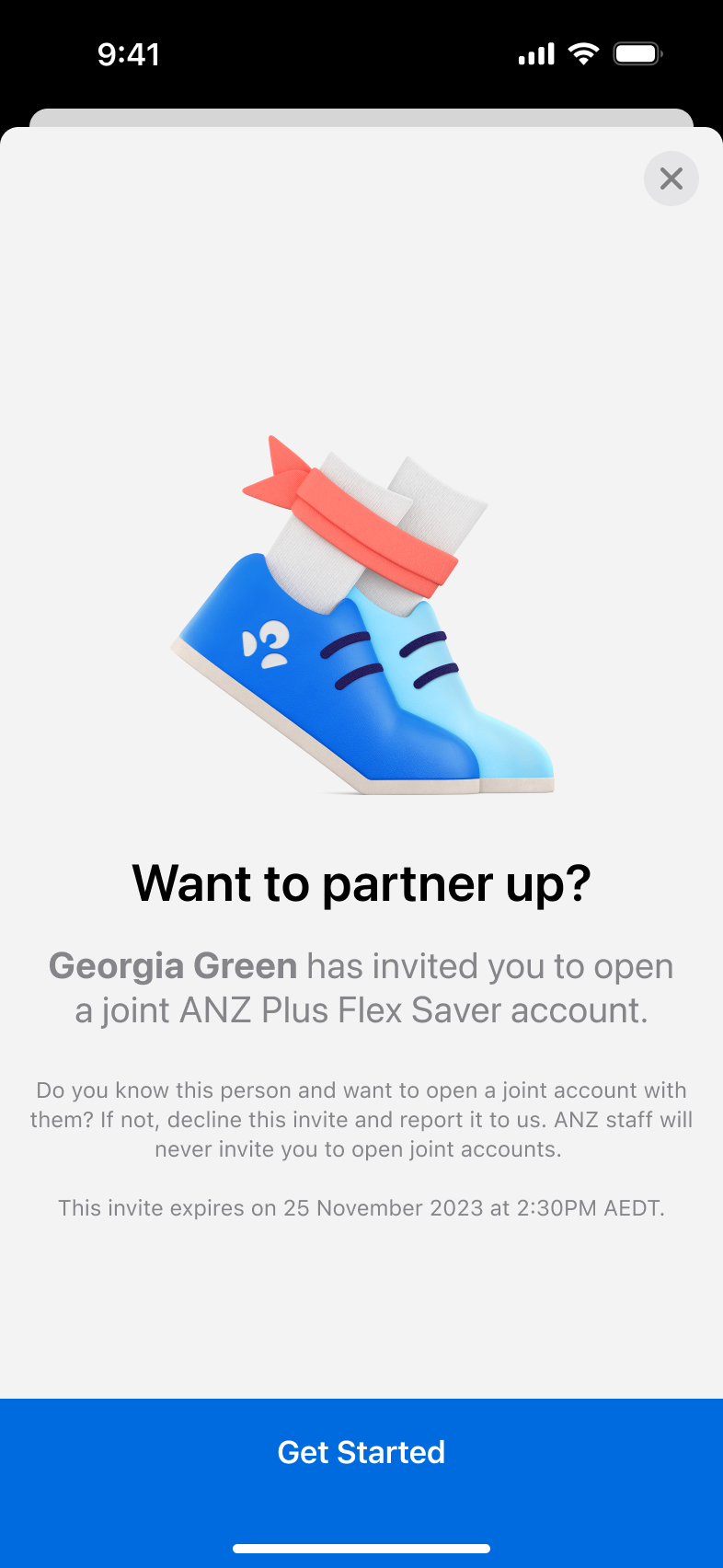

Invite received
6/6
We show the sender’s legal name rather than their preferred name to make it clear exactly who is asking to open a joint account. Because preferred names can be changed at any time, anchoring this moment to a verified legal name reduces impersonation risk and helps customers trust that the invite is genuine.
pov: you're sending the invite
Invite sent
5/6
We require biometric authentication before sending the invite so only the genuine account holder can trigger a joint account request. All notifications stay within the ANZ Plus app, avoiding SMS—which is often associated with scams—and reinforcing a trusted, consistent channel.
pov: you're sending the invite
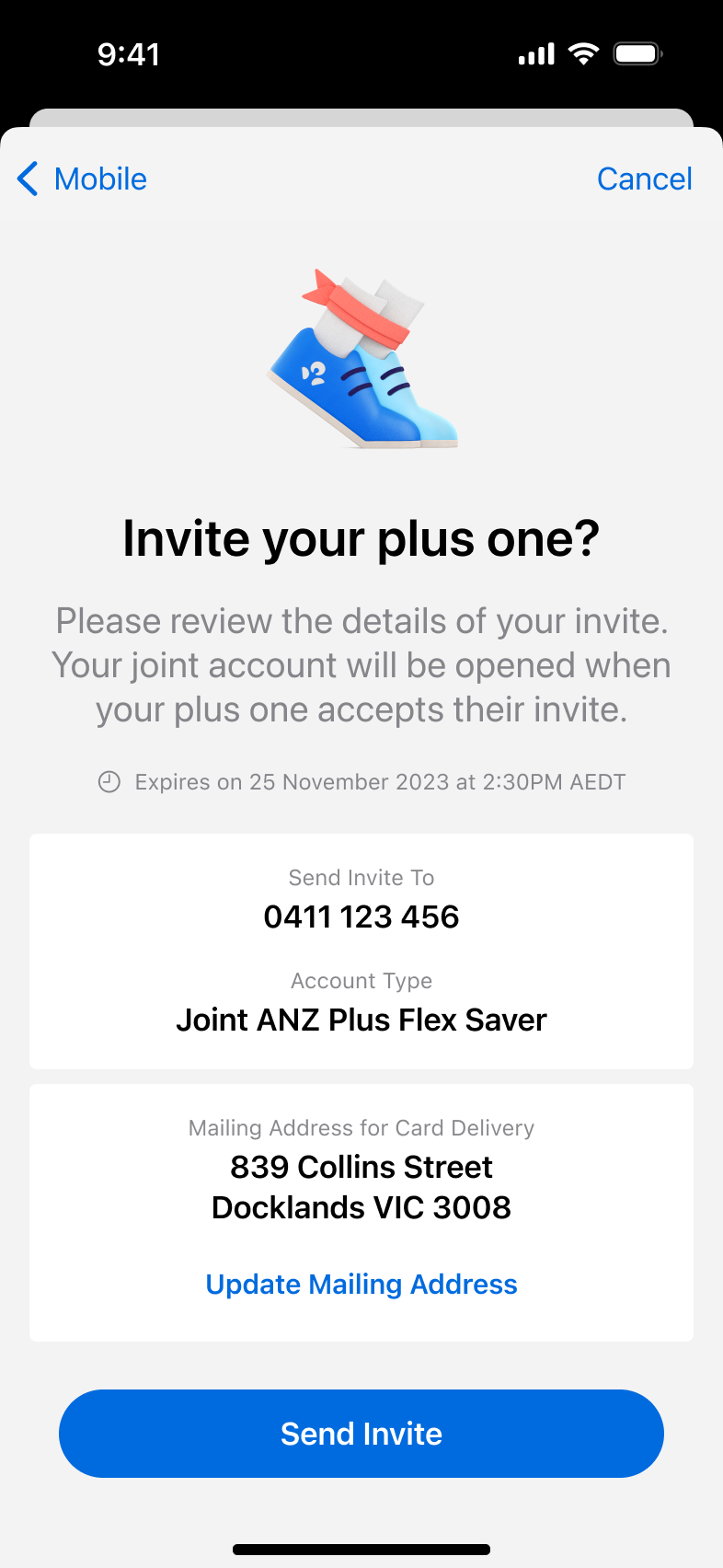
Review invite details
4/6
Before sending the invite, customers review key details such as who they’re inviting and which account they’re opening to reduce errors and misdirected invites. We also surface the mailing address on file so they can confirm or update it, reducing the risk of cards being sent to the wrong place.
pov: you're sending the invite
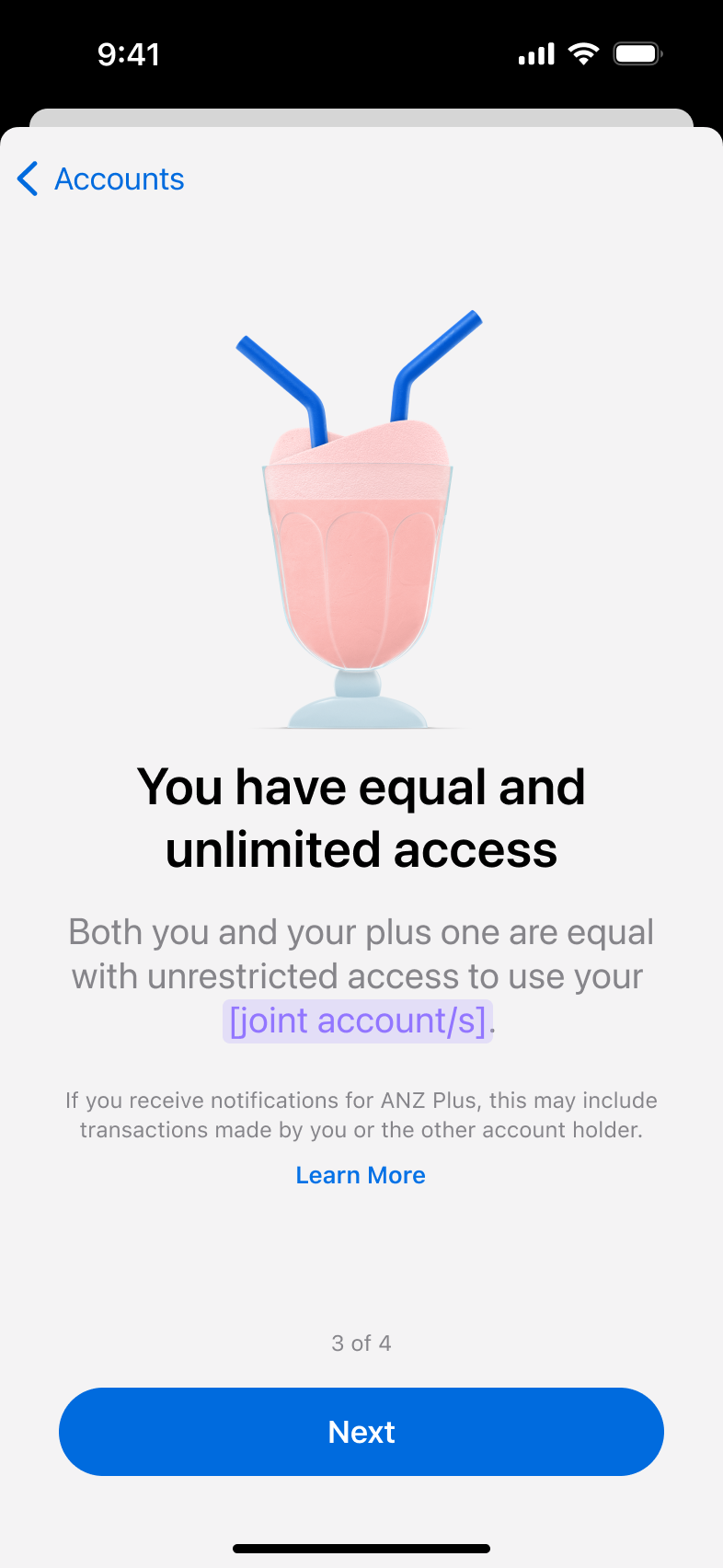
Create the relationship
3/6
Instead of a lengthy scrolling screen, we chose to break down the product awareness screen into bite-sized chunks for easier comprehension.
The page indicators show the customer that there’s only a few of these screens, so they can slow down and read.
pov: you're sending the invite
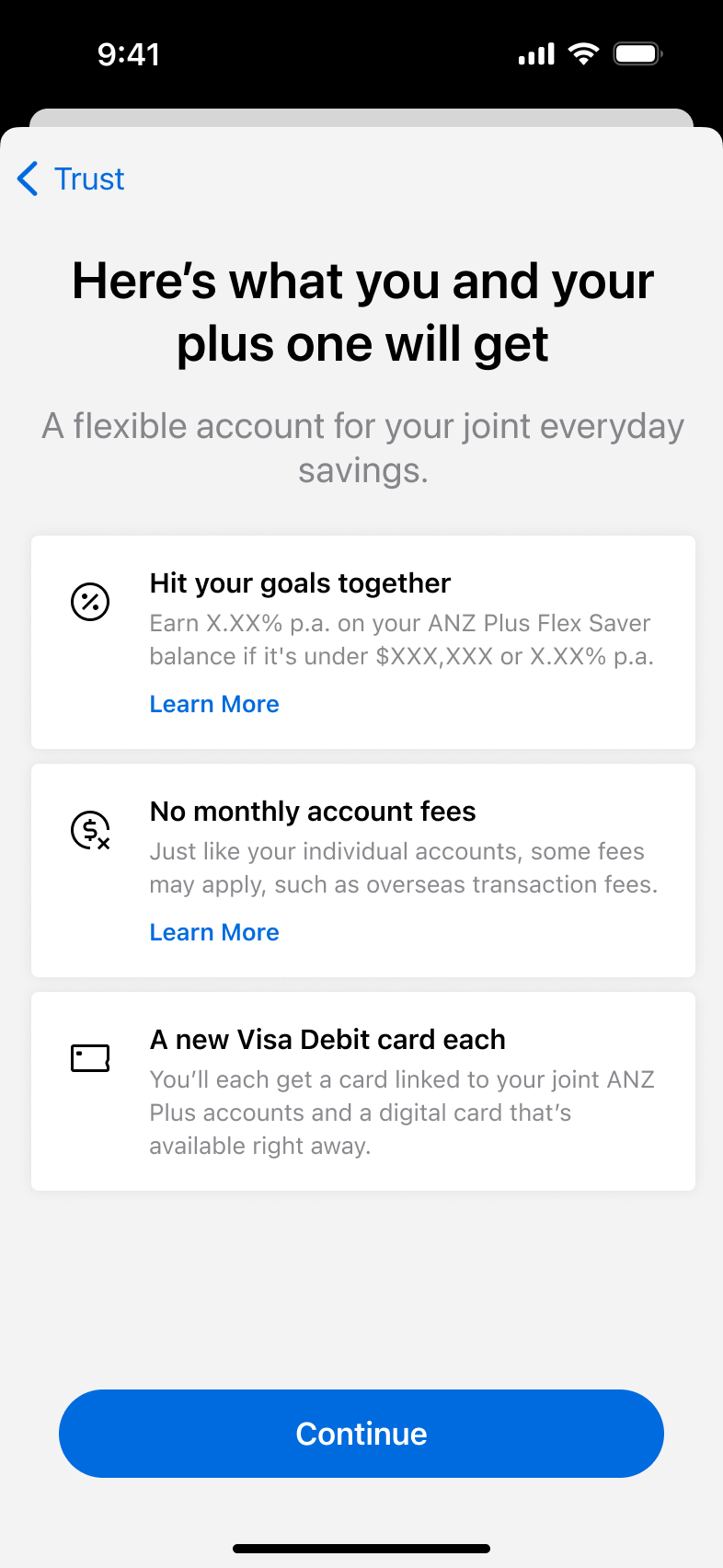
The serious stuff
2/6
For product disclosure, we surfaced the three most important features first so customers can quickly grasp what matters. The terms and conditions screen follows a familiar pattern: a scrollable document with the “Agree and continue” action revealed at the bottom to encourage engagement with the content.
pov: you’re sending the invite

Understand the product
1/6
We broke the product information into a short sequence of bite-sized screens to reduce cognitive load and avoid overwhelming users. Page indicators reassure customers there are only a few steps, setting clear expectations upfront.
reflection
What I learnt from this.
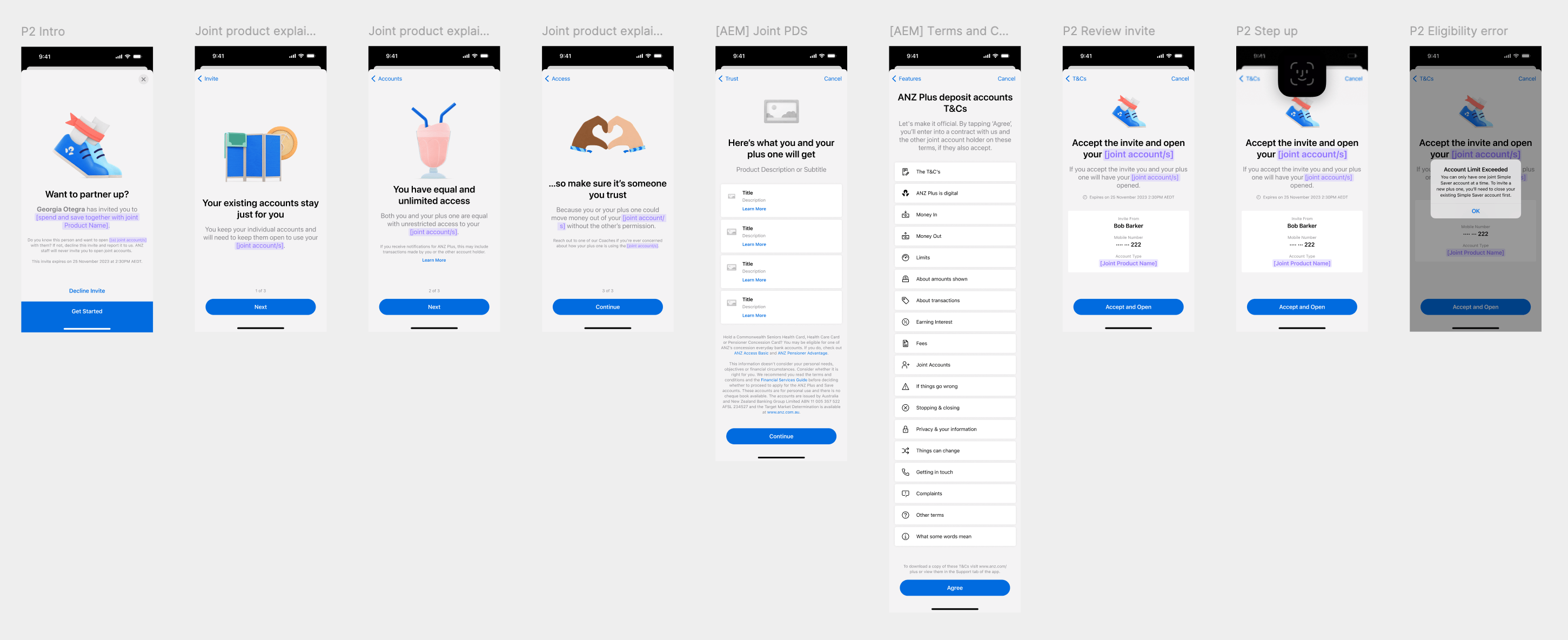
One design scales to many productsWhile designing joint account onboarding, I realised there was a pattern of modular lego blocks: product awareness → disclosures → T&Cs → invite → review, which could be chopped and changed across various other banking products such as term deposits, savings accounts, or transaction accounts, joint or individual. Swapping dynamic fields (product names, pronouns, ownership types) would make it reusable without redesign.
Modularity + dynamic fields = less future reworkWhat started as one-off work became a scalable framework for ANZ Plus product launches. Future teams inherit consistent UX patterns instead of rebuilding from scratch, while customers get familiar flows no matter the product. Design systems live in flows, not just components. Dynamic fields for product name, account type, pronoun handling would also cover most use cases without custom screens, thus eliminating future rework, letting ANZ Plus ship faster with polished, predictable onboarding.
Play
Take a look at some of my other projects.
project
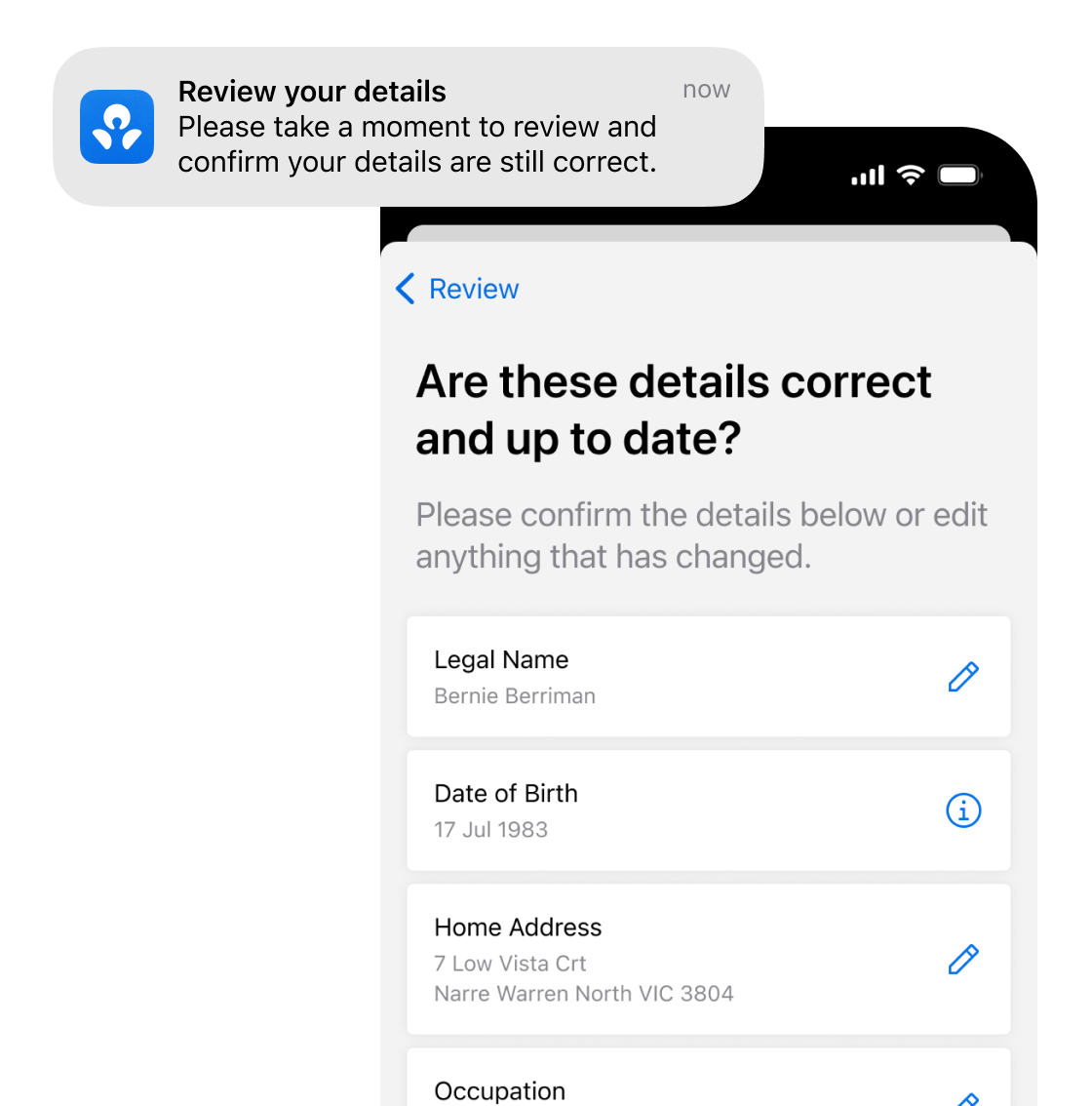
Review your details
see case study
project
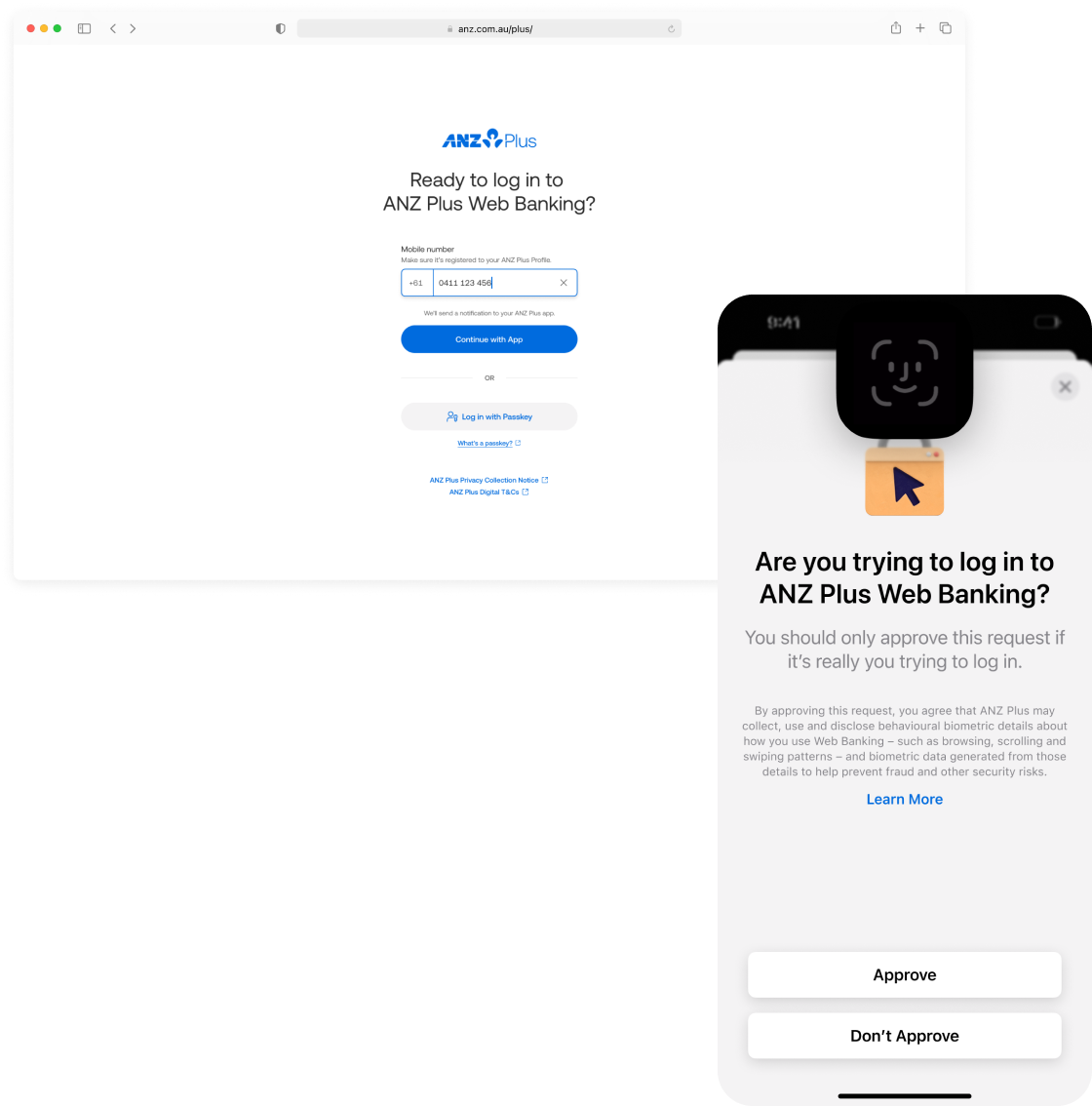
Web login & authentication
see case study
project
Banking with your team

see case study
project
Open a joint account
Invite a partner to open a joint account in minutes with built‑in digital identity checks to keep your money safe.
project information

company
ANZ Plus
project date
October 2024 – April 2025
platform
iOS & Android
role
Product Designer (1/1)
tl;dr

design challenge
Open a joint account online without falling victim to scams.
business outcome
78 NPS
11k+ joint accounts opened
5k+ customers acquired
customer reviews
“Such an easy and smooth experience when setting up. Everything was easy to locate especially for the joint account.”
“Easy to follow instructions but also feels secure.”
solution
Invite your partner to open a joint account in the ANZ Plus app.
pov: you’ve received the invite
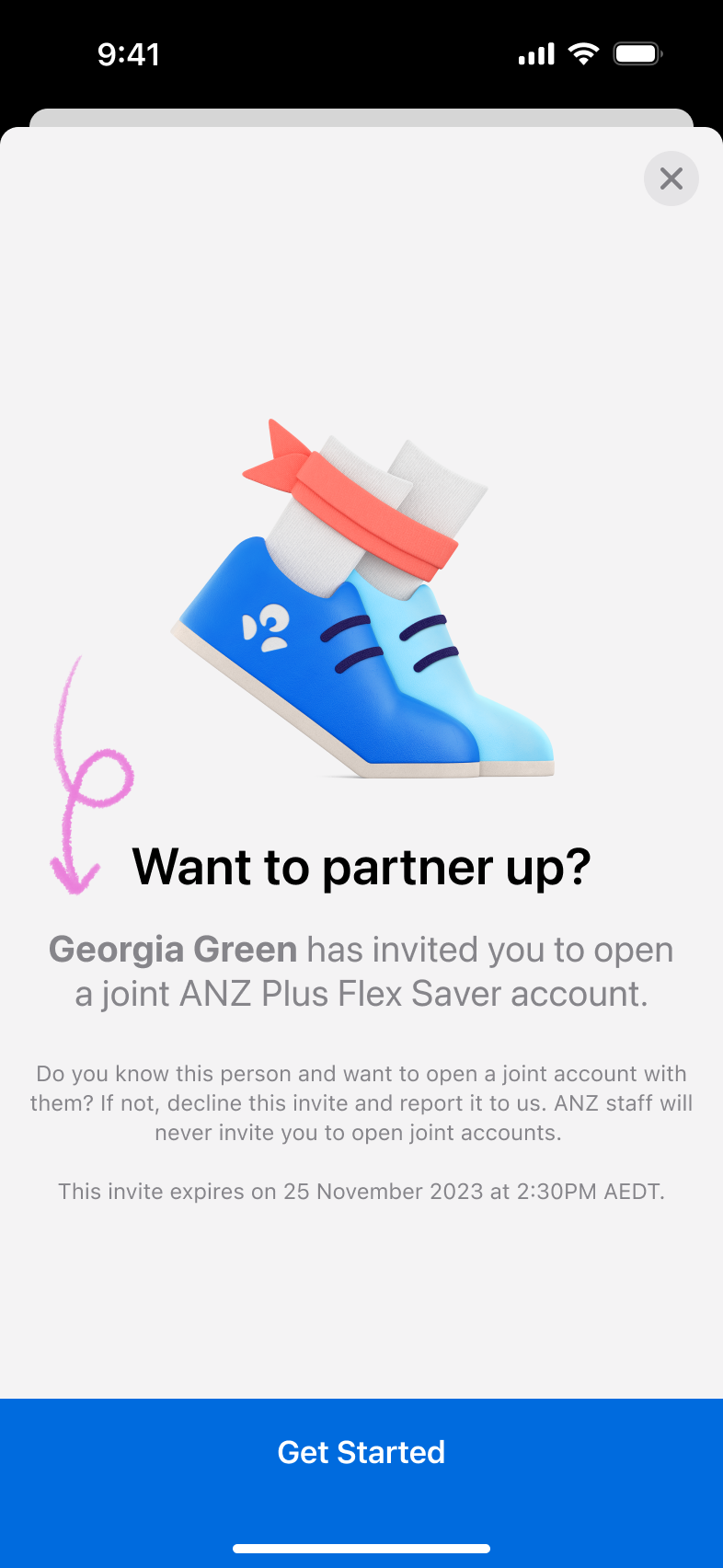
Invite received
6/6
We show the sender’s legal name rather than their preferred name to make it clear exactly who is asking to open a joint account. Because preferred names can be changed at any time, anchoring this moment to a verified legal name reduces impersonation risk and helps customers trust that the invite is genuine.
pov: you're sending the invite
Invite sent
5/6
We require biometric authentication before sending the invite so only the genuine account holder can trigger a joint account request. All notifications stay within the ANZ Plus app, avoiding SMS—which is often associated with scams—and reinforcing a trusted, consistent channel.
pov: you're sending the invite
Review invite details
4/6
Before sending the invite, customers review key details such as who they’re inviting and which account they’re opening to reduce errors and misdirected invites. We also surface the mailing address on file so they can confirm or update it, reducing the risk of cards being sent to the wrong place.
pov: you're sending the invite
Create the relationship
3/6
Instead of Customer Reference Numbers (CRNs), which are hard to remember and not user-friendly, ANZ Plus uses mobile numbers as the primary identifier. To create a joint account relationship, customers enter their partner’s mobile number, which thez system uses to link both profiles and trigger a secure invite.
pov: you're sending the invite
The serious stuff
2/6
For product disclosure, we surfaced the three most important features first so customers can quickly grasp what matters. The terms and conditions screen follows a familiar pattern: a scrollable document with the “Agree and continue” action revealed at the bottom to encourage engagement with the content.
pov: you’re sending the invite
Understand the product
1/6
We broke the product information into a short sequence of bite-sized screens to reduce cognitive load and avoid overwhelming users. Page indicators reassure customers there are only a few steps, setting clear expectations upfront.
reflection
What I learnt from this.
One design scales to many productsWhile designing joint account onboarding, I realised there was a pattern of modular lego blocks: product awareness → disclosures → T&Cs → invite → review, which could be chopped and changed across various other banking products such as term deposits, savings accounts, or transaction accounts, joint or individual. Swapping dynamic fields (product names, pronouns, ownership types) would make it reusable without redesign.
Modularity + dynamic fields = less future reworkWhat started as one-off work became a scalable framework for ANZ Plus product launches. Future teams inherit consistent UX patterns instead of rebuilding from scratch, while customers get familiar flows no matter the product. Design systems live in flows, not just components. Dynamic fields for product name, account type, pronoun handling would also cover most use cases without custom screens, thus eliminating future rework, letting ANZ Plus ship faster with polished, predictable onboarding.
Play
Take a look at some of my other projects.
project
Review your details
see case study
project
Web login & authentication
see case study
project
Banking with your team
see case study
project
Open a joint account
Invite a partner to open a joint account in minutes with built‑in digital identity checks to keep your money safe.
project information

company
ANZ Plus
project date
October 2024 – April 2025
platform
iOS & Android
role
Product Designer (1/1)
tl;dr

design challenge
Open a joint account online without falling victim to scams.
business outcome
78 NPS
11k+ joint accounts opened
5k+ customers acquired
customer reviews
“Such an easy and smooth experience when setting up. Everything was easy to locate especially for the joint account.”
“Easy to follow instructions but also feels secure.”
solution
Invite your partner to open a joint account in the ANZ Plus app.
pov: you’ve received the invite
Invite received
6/6
We show the sender’s legal name rather than their preferred name to make it clear exactly who is asking to open a joint account. Because preferred names can be changed at any time, anchoring this moment to a verified legal name reduces impersonation risk and helps customers trust that the invite is genuine.
pov: you're sending the invite
Invite sent
5/6
We require biometric authentication before sending the invite so only the genuine account holder can trigger a joint account request. All notifications stay within the ANZ Plus app, avoiding SMS—which is often associated with scams—and reinforcing a trusted, consistent channel.
pov: you're sending the invite
Review invite details
4/6
Before sending the invite, customers review key details such as who they’re inviting and which account they’re opening to reduce errors and misdirected invites. We also surface the mailing address on file so they can confirm or update it, reducing the risk of cards being sent to the wrong place.
pov: you're sending the invite
Create the relationship
3/6
Instead of Customer Reference Numbers (CRNs), which are hard to remember and not user-friendly, ANZ Plus uses mobile numbers as the primary identifier. To create a joint account relationship, customers enter their partner’s mobile number, which the system uses to link both profiles and trigger a secure invite.
pov: you're sending the invite
The serious stuff
2/6
For product disclosure, we surfaced the three most important features first so customers can quickly grasp what matters. The terms and conditions screen follows a familiar pattern: a scrollable document with the “Agree and continue” action revealed at the bottom to encourage engagement with the content.
pov: you’re sending the invite
Understand the product
1/6
We broke the product information into a short sequence of bite-sized screens to reduce cognitive load and avoid overwhelming users. Page indicators reassure customers there are only a few steps, setting clear expectations upfront.
reflection
What I learnt from this.
One design scales to many productsWhile designing joint account onboarding, I realised there was a pattern of modular lego blocks: product awareness → disclosures → T&Cs → invite → review, which could be chopped and changed across various other banking products such as term deposits, savings accounts, or transaction accounts, joint or individual. Swapping dynamic fields (product names, pronouns, ownership types) would make it reusable without redesign.
Modularity + dynamic fields = less future reworkWhat started as one-off work became a scalable framework for ANZ Plus product launches. Future teams inherit consistent UX patterns instead of rebuilding from scratch, while customers get familiar flows no matter the product. Design systems live in flows, not just components. Dynamic fields for product name, account type, pronoun handling would also cover most use cases without custom screens, thus eliminating future rework, letting ANZ Plus ship faster with polished, predictable onboarding.
work
Take a look at some of my other projects.
project
Review your details
see case study
project
Web login & authentication
see case study
project
Banking with your team
see case study